
-


- Print Method: Precision Core technology
- All-in-one: print, scan, copy
- Print Resolution: Up to 4800 x 1200 dpi
- Refillable Ink Tank
- High-Capacity Ink Bottles
- Print Size: Supports A4
- Print Speed: Up to 15 ppm
- Warranty
Epson Ecotank L8100 photo printer (All-in-one print,scan,copy)
KSh 72,000.00 -


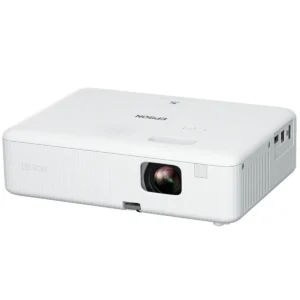
Color / white Light Output: 3.000 Lumen- 2.000 Lumen (economy)
- Projection System: 3LCD Technology, RGB liquid crystal shutter
- Resolution: WXGA
- High Definition: HD ready
- Aspect Ratio: 16:10
- Light source: Lamp
- LCD Panel: 0,59 inch with MLA (D10)
- Colour Reproduction: 16.77 million colours
- Interfaces: HDMI 1.4, USB 2.0-A, USB 2.0 Type B (Service Onl
Epson EpiqVision Flex CO-W01 3000 Lumens 3LCD WXGA Projector
KSh 46,000.00 -


- Type: 24-pin dot matrix printer for high-quality printing
- Speed: Prints up to 416 characters per second for fast output
- Compact Design: Space-saving design with easy integration into any workspace
- Durability: Mean time between failure (MTBF) of 10,000 hours for reliable performance
- Cost-Effective: High ribbon yield of 2.5 million characters for economical operation
Get reliable and efficient printing with the Epson Dot Matrix LQ-350 Printer—order yours today!
Epson LQ 350 dot matrix printer
KSh 33,000.00 -
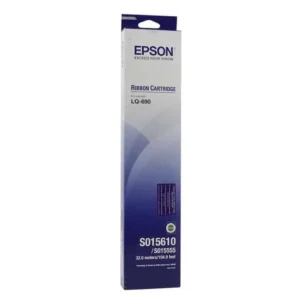
An exact fitting ribbon cassette enables easy and user-friendly replacement and does not jump out during printing. Perfect harmonization between printer mechanism and ribbon transport means uniform distribution of color which, in turn, ensures a clean and pleasing appearance and also makes ribbon-tightening a thing of the past.
Of course, in the choice of ribbon fabric and mesh thickness, Epson pays special attention to the particular properties of the print head, in order to ensure that the ribbon does not fray and there is no chance of it getting stuck. In addition, costly repairs as a result of defective print heads and cash register breakdowns are avoided.
Likewise, Epson places great emphasis on the choice of ink in which the ribbon is soaked: quality of print out, even distribution of color along the length of the ribbon and prediction of the print head pins from mechanical strain and chemical pollution are the important criteria which influence quality and perfect design.
Over and above the design, Epson places great importance on quality assurance during the production process. In doing so, Epson guarantees excellent product properties at all times and an optimum harmonization with the main product – the Epson printer.
Epson LQ 690 ribbon
KSh 1,000.00 -
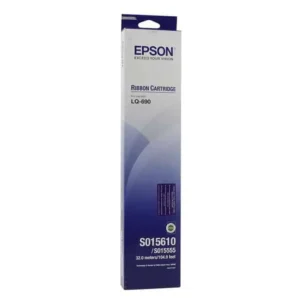
- Color: Black
- Ribbon Cartridge
- Compatible With: Dot Matrix Printers.
- Brand: Epson
- List of Compatible printer models: Epson LQ-2190, FX-2170, FX-2180, LQ-2070, LQ-2080, LQ-2170, LQ-218
EPSON LQ-2180/2190 RIBBON
KSh 1,800.00 -


- Print Method: Impact dot matrix
- Pins in Print Head: 24 pins
- Print Speed: Up to 480 cps at 10 cpi
- Print Resolution: Up to 360 x 360 dpi
- Paper Handling: Continuous paper, envelopes, labels, roll paper
- Paper Width: 76.2 mm to 420 mm
- Multi-Part Forms: Up to 5 copies (1 original + 4 copies)
- Paper Feeding: Tractor feed (front, rear, bottom), friction feed
- Connectivity: Parallel, USB 2.0
- Optional Interfaces: Ethernet, Serial (RS-232C)
- Fonts: Draft, Roman, Sans Serif, Courier, etc.
- Character Sets: 13 international sets, 10 code pages
- Dimensions: 609 mm (W) x 350 mm (D) x 255 mm (H)
- Weight: Approx. 13.8 kg
Epson LQ2190 Dot Matrix Printer
KSh 100,000.00 -


- Printing Technology: 9-pin, serial, impact dot matrix, narrow carriage
- Print Direction:Text Mode: Bi-directional, Graphics Mode: Uni-directional
- (bi-directional via software)
- ISO Print Speed: High-Speed Draft: 347 cps (10 cpi),
- Connectivity:Bidirectional parallel, USB 2.0 Type B, RS-232
- Pins: 9 Pins
Epson LX-350 Impact Dot Matrix Printer
KSh 30,000.00 -
Replacing the Ribbon Cartridge
When printing becomes faint, you need to replace the ribbon cartridge. Genuine Epson ribbon cartridges are designed and manufactured to work properly with your Epson printer. They ensure proper operation and long life of the print head and other printer parts. Other products not manufactured by Epson may cause damage to your printer, which is not covered by Epson’s warranties.Follow these steps to install or replace the ribbon cartridge:
1. Make sure the printer is turned off.
2. Open the printer cover to the upright position, then pull it up to remove it.
3. Remove the tension unit by squeezing the tension unit’s lock tabs gently and pulling the tension unit away from the printer.
4. Make sure that the print head is in the middle of the printer.
If it is not, turn on the printer and then turn off again. Then remove the ribbon cartridge from the printer.5. Remove the new ribbon cartridge from its package.
6. Turn the ribbon-tightening knob in the direction of the arrow to remove any slack from the ribbon so it is easier to install.
7. Insert the ribbon cartridge into the printer as shown; then press both sides of the cartridge firmly to fit the plastic hooks into the printer slots.
Note:
Do not touch the white cable inside the printer.8. Use a pointed object, such as a ball point pen, to guide the ribbon between the print head and ribbon guide.
9. Turn the ribbon-tightening knob in the direction of the arrow to help feed the ribbon into place; it should not be twisted or creased.
10. Reinstall the paper tension unit.
11. Reinstall and close the printer cover.
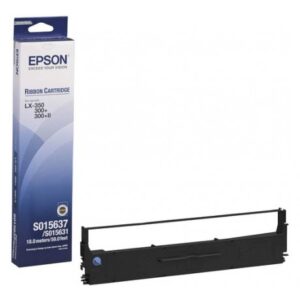
TopEPSON LX-350 RIBBON
KSh 1,000.00 -

-
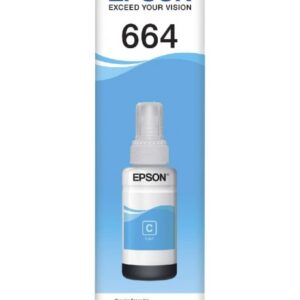
Weight: 0.5 kg Compatible Printers Epson L565Epson L486Epson L455Epson L386Epson L382Epson L365Epson L355Epson L310Epson L300Epson L220Epson L210Epson L1300Espon L120Epson L110Epson L550Epson L355Epson L110 Epson T6642 Cyan Ink
KSh 1,200.00 -
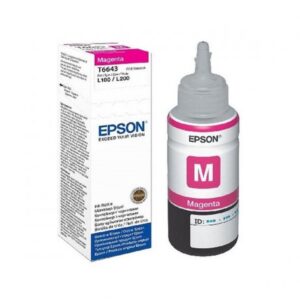
Weight: 0.5 kg Compatible Printers Epson L565Epson L486Epson L455Epson L386Epson L382Epson L365Epson L355Epson L310Epson L300Epson L220Epson L210Epson L1300Espon L120Epson L110Epson L550Epson L355Epson L110 Epson T6643 Magenta Ink Bottle
KSh 1,200.00 -

Weight: 0.5 kg Compatible Printers Epson L565Epson L486Epson L455Epson L386Epson L382Epson L365Epson L355Epson L310Epson L300Epson L220Epson L210Epson L1300Espon L120Epson L110Epson L550Epson L355Epson L110 Epson T6644 Yellow Ink
KSh 1,200.00 -
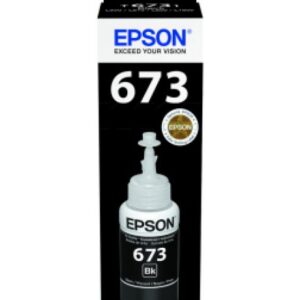
Weight: 0.5 kg Compatible Printers Epson L850
Epson L810
Epson L805
Epson L1800
Epson L800
Epson T6731 Black Ink
KSh 1,200.00 -

Epson T6732 Cyan Ink Bottle 70ml
Epson T6732 Cyan Ink Bottle 70ml
Weight: 0.5 kg Compatible Printers Epson L850
Epson L810
Epson L805
Epson L1800
Epson L800
Epson T6732 Cyan Ink
KSh 2,000.00 -

Epson T6733 Magenta Ink Bottle 70ml
Weight: 0.5 kg Compatible Printers Epson L850
Epson L810
Epson L805
Epson L1800
Epson L800
Epson T6733 Magenta Ink
KSh 2,000.00


 No products in the cart.